
Wednesday, August 29, 2012


Thursday, August 16, 2012
I AM CLEVER.
I figured out (from misc threads on the creativecow forums) a way to set up a composition so you can just duplicate it and put the info you need in the title of the comp, and the text will change accordingly. You never even have to open them at all! Just copy, rename and drag the lot into the render queue.
The expression is:
thisComp.name.split("_")[1]
It goes in 'Source Text'
I put an underscore as the 'split' character but you could use something else, just put whatever character you want in.split("*")
Just change the number in square brackets for each text layer to turn that text into the corresponding word/phrase in the comp title. It counts from zero; I usually leave that for a comp name and 1,2,3 and so on for each on-screen text.
Probably I could have been even CLEVERER but it works.
I'd also probably make one master comp and use expressions in the duplicated comps to connect to it each animated/positioned/scaled/font-size/etc value that might need to be changed, in preparation for the inevitable client amends... (u__u;)>

Tuesday, August 14, 2012
Evidently I haven't drawn anything for like 3 years so now for a while this will be a notepad of useful After Effects Expression clippings I mostly found/stole elsewhere, sometimes modified myself a bit.
Posterize time with offset.
Use it on Time Remapping to make a clip have a low frame rate which falls on a specific frame eg to match another piece of low frame rate animation.
Attach the phase to an Angle expression control and animate with hold keyframes if you need to make it stay in sync with irregularly keyframed animation
fps=12;
phase=effect("Angle Control")("Angle");
posTime =(Math.floor(time*fps+phase/360)-phase/360) /fps;
valueAtTime(posTime);
I used this to make a live action background play at a lower frame rate perfectly in sync with rotoscoped animation which had different parts done on 2s and 3s, and a few accidental missed frames here and there throwing things off.
Taken from http://forums.creativecow.net/thread/227/13759
Audio files in 3D space!
(EDIT: actually not sure if this is really working properly at alll)
This seemed a bit clunky and confusing to me at first but it appears to work OK and I couldn't have come up with it myself so can't complain. :) Controls the volume and panning of audio layers based on distance from comp/camera. Might try and improve it some time; at the moment it works by you put the expression on the 'Audio Levels' of the audio file and the object controlling the position in space underneath that layer, which isn't a workflow I like really. Will probably attach loudMax and loudMin etc. to master sliders for easier tweaking too.
loudMax = 0; //The loudest that the audio file will ever be in dB
loudMin = -20; // The quietest that the audio file will ever be in dB
close = -10; // The smallest Z value expected
far = 1000; // The largest Z value expected
distance = thisComp.layer(index+1).transform.position[2]; //The Z value of the layer beneath this one
myLevel = linear(distance, close, far, loudMax, loudMin);
myWidth = thisComp.width;
//The following section is new and required for the change to the 'balance' equation:
motionLayer = thisComp.layer(index+1);
halfWidth = motionLayer.width / 2;
halfHeight = motionLayer.height / 2;
balance = motionLayer.toComp([halfWidth,halfHeight])[0]; //This is a new form of this equation that converts the XYZ coords of the layer to screen X coordinates for more realistic panning
leftMult = linear(balance, 0, myWidth, 1, 2);
rightMult = linear(balance, 0, myWidth, 2, 1);
myLeftLevel = myLevel * leftMult;
myRightLevel = myLevel * rightMult;
[myLeftLevel, myRightLevel];
Stolen from 'wuzelwazel' on this olde thread: http://forums.creativecow.net/thread/227/7223#7236
Use it on Time Remapping to make a clip have a low frame rate which falls on a specific frame eg to match another piece of low frame rate animation.
fps=12;
phase=180;
posTime =(Math.floor(time*fps+phase/360)-phase/360) /fps;
valueAtTime(posTime);
fps=12;
phase=effect("Angle Control")("Angle");
posTime =(Math.floor(time*fps+phase/360)-phase/360) /fps;
valueAtTime(posTime);
I used this to make a live action background play at a lower frame rate perfectly in sync with rotoscoped animation which had different parts done on 2s and 3s, and a few accidental missed frames here and there throwing things off.
Taken from http://forums.creativecow.net/thread/227/13759
Audio files in 3D space!
(EDIT: actually not sure if this is really working properly at alll)
This seemed a bit clunky and confusing to me at first but it appears to work OK and I couldn't have come up with it myself so can't complain. :) Controls the volume and panning of audio layers based on distance from comp/camera. Might try and improve it some time; at the moment it works by you put the expression on the 'Audio Levels' of the audio file and the object controlling the position in space underneath that layer, which isn't a workflow I like really. Will probably attach loudMax and loudMin etc. to master sliders for easier tweaking too.
loudMax = 0; //The loudest that the audio file will ever be in dB
loudMin = -20; // The quietest that the audio file will ever be in dB
close = -10; // The smallest Z value expected
far = 1000; // The largest Z value expected
distance = thisComp.layer(index+1).transform.position[2]; //The Z value of the layer beneath this one
myLevel = linear(distance, close, far, loudMax, loudMin);
myWidth = thisComp.width;
//The following section is new and required for the change to the 'balance' equation:
motionLayer = thisComp.layer(index+1);
halfWidth = motionLayer.width / 2;
halfHeight = motionLayer.height / 2;
balance = motionLayer.toComp([halfWidth,halfHeight])[0]; //This is a new form of this equation that converts the XYZ coords of the layer to screen X coordinates for more realistic panning
leftMult = linear(balance, 0, myWidth, 1, 2);
rightMult = linear(balance, 0, myWidth, 2, 1);
myLeftLevel = myLevel * leftMult;
myRightLevel = myLevel * rightMult;
[myLeftLevel, myRightLevel];
Stolen from 'wuzelwazel' on this olde thread: http://forums.creativecow.net/thread/227/7223#7236
Thursday, June 11, 2009
Various walkcycle doodles

- Done in Flash

- Done in FlipBook on the iphone with some post FX on the computer.

- experiment with Puppet tool in After Effects


- iphone FlipBook
Tuesday, December 09, 2008

Tuesday, September 23, 2008
Newport Screenprint

Made this with my friend Luke, mostly his design. Excited to do more screenprintS!!!
Tuesday, May 20, 2008

Friday, November 02, 2007

Sunday, October 21, 2007

Thursday, October 18, 2007
Cementimental Harsh Noise Graphic Novel now avaliable!
Harsh noise album in book form:
Surrealist book-object; 300 pages of harsh bitmap. Paperback with full colour cover, black + white interior.
£7.77 + p&p from from http://www.lulu.com/content/1226580


verso

sample pages:


Tuesday, May 29, 2007
Work in progress

 Nearly done!
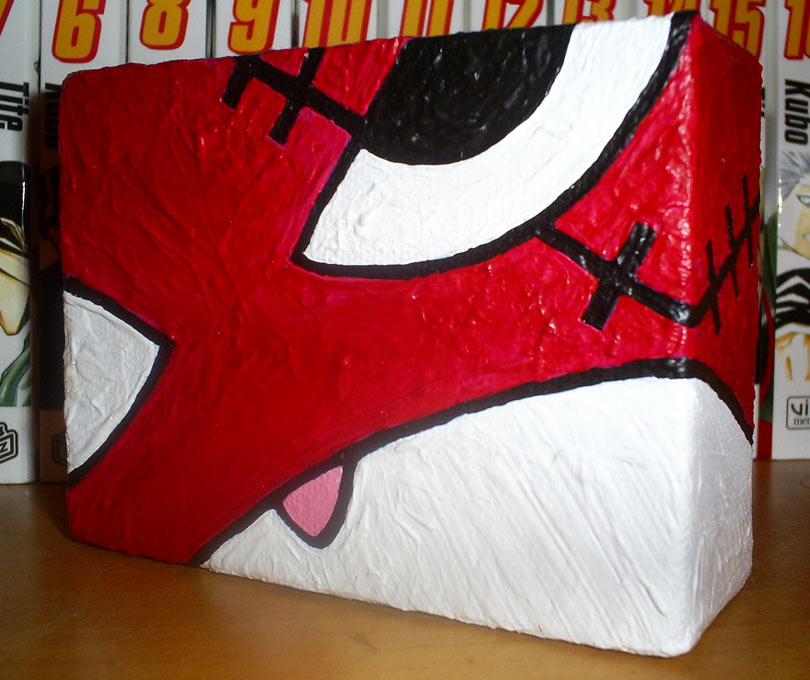
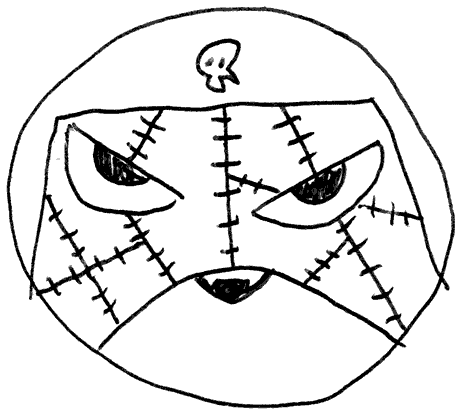
SD anime traumatised expression iconography. Blobby acrylic on canvas.
It's flourescent red, doesn't show up well in rubbish phonecam-vision.
Proper pics of this and other work sooon!
Monday, January 15, 2007
Sunday, December 10, 2006
Another unfinished painting
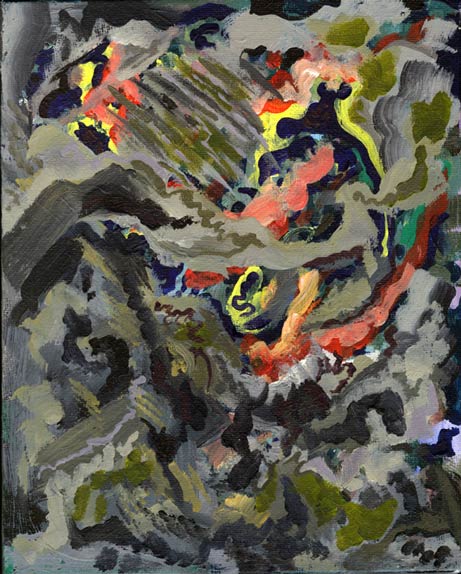
Acrylic on canvas. So far it got better then a little worse again. Will finish it soon.
Tuesday, October 17, 2006

Monday, June 19, 2006
another sneak preview

for the sake of posting something ^_^
Here's a bad phone photo of a medium sized oil painting i started. Dunno what it will be yet but pleased with it so far...
Great to use oils again, so much more pleasing than acrylic, and makes me feel like a real artist. :)
Sunday, May 14, 2006


Saturday, April 15, 2006
Unfinished mobile phone drawings
I should finish them.


In other news, the afforementioned painting is now avaliable for sale on etsy.com!
In other news, the afforementioned painting is now avaliable for sale on etsy.com!
Monday, March 06, 2006
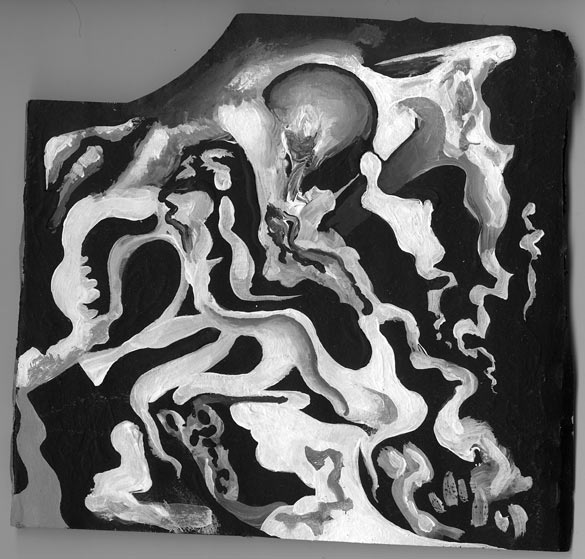
Monochrome blobs
Unfinished/sketch acrylic on corrigated cardboard. Found it while packing, had pretty much totally forgotten about it.

Wednesday, February 22, 2006
Painting finished!
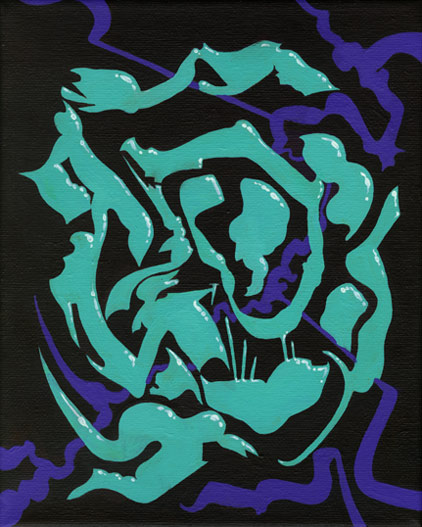
'We Dream of a Static Condition of the Limb'
Surrealist blobs + shapes vaguely inspired by anime FX animation.
10" x 8" acrylic on canvas

This painting is now on sale on ebay!
Please click here to take a loook.
Thanks! ^_^
Surrealist blobs + shapes vaguely inspired by anime FX animation.
10" x 8" acrylic on canvas
This painting is now on sale on ebay!
Please click here to take a loook.
Thanks! ^_^
Friday, February 17, 2006

Subscribe to:
Posts (Atom)